Work Smarter Across Teams, Meetings, Projects, and Collaboration
Event Summary
Microsoft Teams has become much more than a platform for virtual meetings. For many organizations, it is where conversations happen, documents are shared, projects move forward, decisions are made, and employees across offices, field locations, and functions stay connected.
As Teams usage grows, however, so can the complexity. Multiple teams, channels, chats, meetings, notifications, shared files, and applications can quickly make collaboration harder rather than easier when there is no consistent approach to using them.
Microsoft Mondays: Advanced Microsoft Teams helps participants move beyond basic meetings and chat to use Teams as a more organized and effective collaboration environment. This instructor-led virtual session explores practical ways to structure communication, manage information, collaborate on documents, coordinate work, and take advantage of advanced Teams capabilities.
Through demonstrations and workplace examples, participants will learn techniques they can apply immediately to reduce communication clutter, improve collaboration, and create more effective digital working environments for their teams and projects.
What You Will Gain
Participants will explore how to:
- Organize Teams and channels for clearer communication and collaboration
- Understand when to use a team, channel, chat, email, or meeting
- Manage notifications and activity to reduce distractions
- Use advanced meeting features to improve virtual collaboration
- Collaborate on Microsoft 365 files directly within Teams
- Manage shared documents, versions, permissions, and access
- Use tabs and integrated applications to bring work into one location
- Improve communication across departments, project teams, and locations
- Apply Teams features to project and workgroup collaboration
- Use search, saved information, and other tools to locate conversations and content
- Establish practical Teams conventions that improve consistency and usability
- Reduce unnecessary meetings, emails, and duplicated communication
Who Should Attend
This session is designed for natural gas professionals who already use Microsoft Teams and want to strengthen how they collaborate and manage work within the platform. It is especially valuable for:
- Supervisors and managers
- Project and program teams
- Operations professionals
- Engineers and technical teams
- Administrative and business professionals
- Learning and development teams
- Cross-functional teams
- Remote and hybrid employees
- Anyone responsible for coordinating people, projects, meetings, or shared information
Meet the Instructor
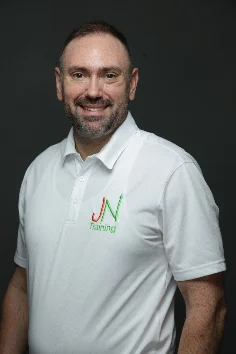
Jeremy Nathan
CEO, JN Training
CEO of JN Training, Microsoft Certified Trainer, and Power BI Data Analyst with experience across both production and office environments. Jeremy leads engaging workshops focused on technology, leadership, and communication, helping professionals build practical, on-the-job skills.
Meet the Instructor
Sean McDonough
Instructor, JN Training